


For countless fitness enthusiasts here in the Philippines, the Apple Watch is more than just a timepiece; it’s a dedicated partner for health and wellness. From morning jogs along Roxas Boulevard to intense HIIT sessions at home, it has become the go-to device for tracking progress and staying motivated. However, the recent watchOS 26 update has sparked a wave of frustration among users, with many claiming a core feature—the Workout app—is now fundamentally broken.
As a fitness coach, I emphasize that technology should remove barriers to exercise, not create them. Unfortunately, the redesigned Workout app seems to be doing the latter. Users across the globe, including many in our local fitness community, are reporting that the new interface is clunky, unintuitive, and a significant step down from its predecessor. Let’s dive into what changed and why it’s causing such a stir.
A Tale of Two Interfaces: What Exactly Changed?
Before the update, starting a workout was a simple, fluid motion. The app featured large, easy-to-read tiles for each workout type. A single, decisive tap was all it took to get going. This design was perfect for those moments when you’re about to start a run or lift, and you just want the tech to get out of the way.
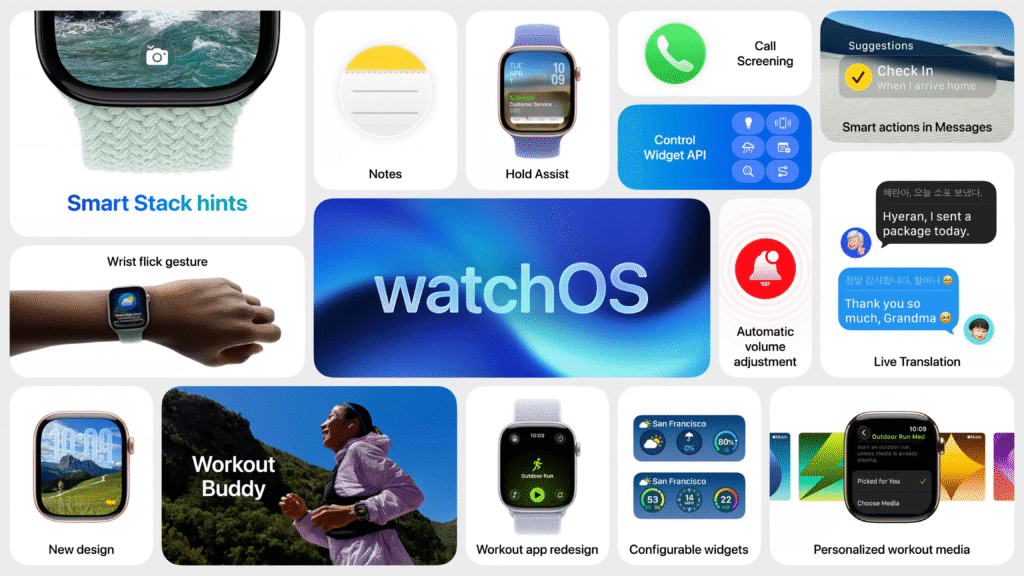
With watchOS 26, Apple has completely overhauled this experience. The large tiles are gone, replaced by a scrolling list and a new two-step process to begin an activity. Now, you must first select your workout from the list, wait for a brief animation, and then tap a much smaller “play” button that appears in the corner.
While the new interface integrates music and podcast controls more directly, this change has disrupted years of muscle memory and added unnecessary friction to what should be a seamless process. For many, this is a classic case of fixing something that wasn’t broken.
The Fitness Community’s Verdict: A Breakdown of the Issues
The core of the frustration isn’t just about aesthetics; it’s about practical, real-world usability. When you’re focused on your fitness goals, the last thing you need is a battle with your watch. Here are the most common complaints we’re hearing:
1. Poor User Experience and Design
Many users report that the new touch targets are simply too small. Trying to tap a tiny play button while you’re warming up, or worse, mid-activity, is a recipe for frustration. One user noted, “What I used to be able to do in my sleep without thinking now takes my full brain capacity and always annoys me just before my workout.” This added mental load is the opposite of what workout technology should provide.
2. Performance and Reliability Problems
Beyond the design, the app’s performance seems to have taken a hit. Users describe the interface as laggy, with a noticeable delay between selecting a workout and the start button appearing. This lag often leads to mis-taps and accidental workout starts. Worse still, some have experienced tapping the start button, seeing the press animation, only to discover later that the workout never actually started. For anyone serious about their data, this is a major issue that undermines the device’s reliability.
3. A Swimmer’s Nightmare
Perhaps the most critical feedback, especially relevant in a tropical country like the Philippines, comes from swimmers. Several users have stated that starting a swimming workout is now “impossible once in the pool.” A wet screen and small touch targets are a terrible combination, making it incredibly difficult to reliably start, pause, or switch workouts. This is a significant regression for a device that has long been praised for its robust water-based activity tracking.
The simpler, tile-based interface from a previous watchOS that many users miss.

A Coach’s Advice: Navigating the New Workout App
While we hope Apple is listening to this feedback for a future update, you don’t have to let this frustrating experience derail your fitness routine. Here are a few workarounds that can help mitigate the issues:
- Use the Action Button: If you own an Apple Watch Ultra, the customizable Action Button is your best friend. Set it to launch the Workout app or even start a specific workout type to bypass the new interface almost entirely.
- Talk to Siri: Voice commands can be a powerful alternative. Simply raising your wrist and saying, “Hey Siri, start an outdoor run,” can get your workout started without any tapping.
- Rely on Auto-Detection: For activities like walking, running, and cycling, the Apple Watch’s automatic workout detection is quite reliable. It might be less tedious to just start your activity and let the watch prompt you to begin tracking after a few minutes.
Final Thoughts: A Call for a User-Centric Approach
The Apple Watch has earned its place as a leader in the fitness tech space because it has historically combined powerful sensors with an intuitive, user-friendly experience. The watchOS 26 Workout app update, however, feels like a misstep that prioritizes a new design over the practical needs of its active users.
For technology to truly support our health journey, it must be reliable, efficient, and almost invisible. This update, for many, has made the Apple Watch more visible in all the wrong ways. We remain hopeful that Apple will heed the feedback from its dedicated fitness community and restore the seamless functionality that users have come to love.
How has your experience been with the new Workout app? Share your thoughts and any tips you’ve discovered in the comments below!
