

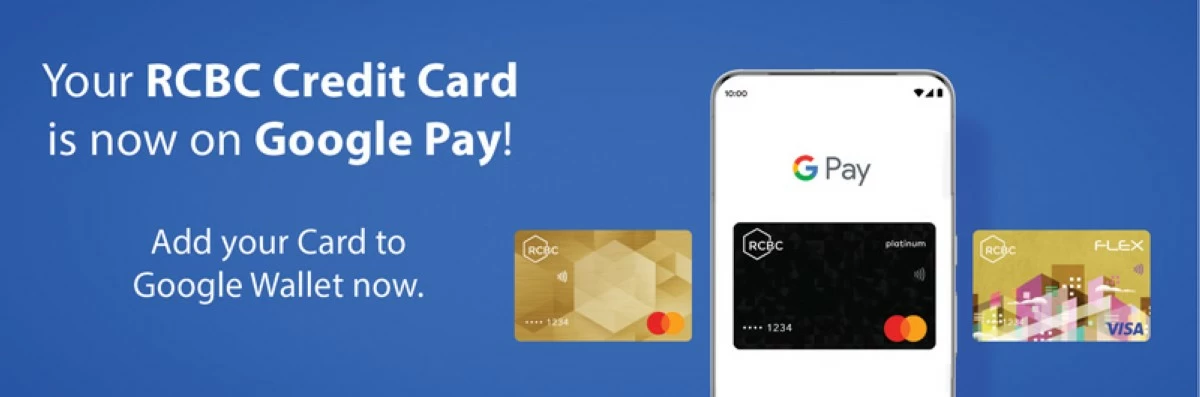
In a significant leap forward for digital payments in the Philippines, Rizal Commercial Banking Corporation (RCBC) has officially enabled Google Pay for its Mastercard and Visa credit cardholders. This move solidifies RCBC’s position as a digital-first bank, offering customers a faster, more secure, and incredibly convenient way to transact both locally and internationally. For Filipino tech enthusiasts and everyday consumers, this means your Android phone is now your wallet.
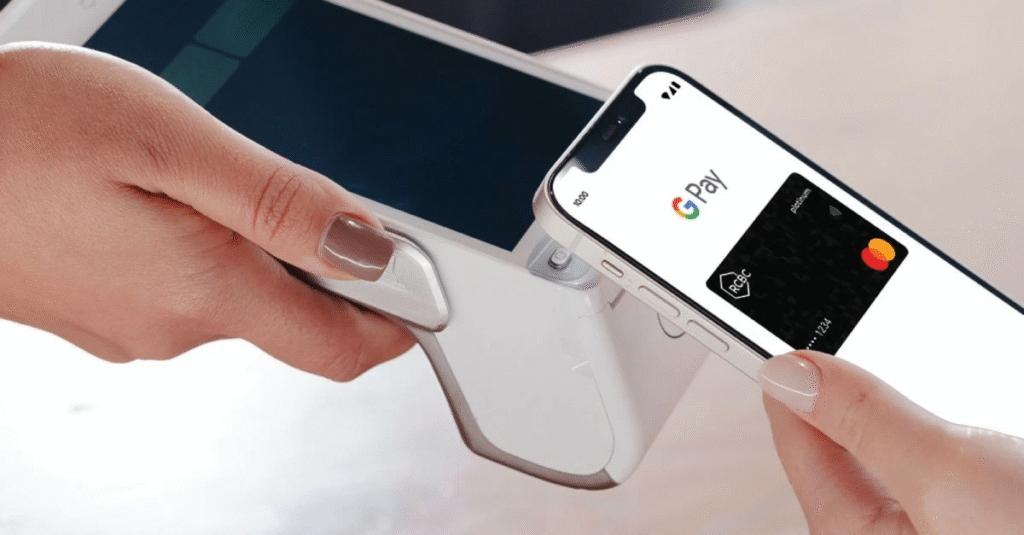
The integration allows RCBC credit card users to add their cards to the Google Wallet app, transforming their smartphones into a powerful tool for contactless payments. Whether you’re buying groceries, paying for your coffee, or shopping online, the need to pull out a physical card is becoming a thing of the past. This launch follows the recent introduction of [Google Wallet in the Philippines](https://fitandtechyph.com/phones/google-wallet-in-the-philippines-a-fitness-enthusiasts-guide-to-contactless-payments/), signaling a major shift in the country’s payment ecosystem.
Why This is a Game-Changer for Filipino Consumers
The adoption of Google Pay by RCBC addresses three critical aspects of modern commerce: speed, security, and convenience.
1. Unmatched Convenience
With Google Pay, transactions are as simple as tapping your phone on any Near Field Communication (NFC)-enabled point-of-sale (POS) terminal. This is perfect for the fast-paced lifestyle many Filipinos lead. Imagine breezing through checkout lines at the supermarket or paying for a meal without fumbling for your wallet. The service also streamlines online shopping, securely storing your payment details for quick checkouts on e-commerce sites and apps.
2. Enhanced Security Features
Security is a primary concern for many when it comes to digital finance. Google Pay utilizes a technology called tokenization, which replaces your actual credit card number with a unique digital identifier (a “token”). This means your sensitive card information is never shared with the merchant, significantly reducing the risk of fraud if a retailer’s data is ever compromised. Every transaction also requires authentication via your phone’s biometrics (fingerprint or face unlock) or PIN, adding another robust layer of protection.
3. A Commitment to Digital Innovation
This partnership highlights RCBC’s dedication to improving the digital banking experience for its customers. In a statement, RCBC President and CEO Reginaldo Anthony B. Cariaso said, “The launch of RCBC Credit Cards on Google Pay is a significant step forward in our mission to enhance the digital payment experience… This integration offers unparalleled convenience, security, and the benefit of exclusive rewards.”
Echoing this sentiment, Prep Palacios, Country Manager for Google Philippines, stated, “We’re proud to work with RCBC to bring faster, convenient and more secure payments to the Philippines. This launch underscores our enduring commitment to accelerating financial inclusion and fueling the next chapter of the Philippines’ dynamic digital economy.”
Exclusive Promos to Celebrate the Launch
To encourage cardholders to embrace this new technology, RCBC has rolled out exciting introductory promos starting December 1, 2025. Making a minimum single-receipt domestic purchase of PHP 1,000 using Google Pay can earn you some delicious rewards!
- RCBC Mastercard Users: Get a free Jollibee Yumburger Solo or a Peach Mango Pie.
- RCBC Visa Users: Enjoy a complimentary Chowking Pork Chao Fan or Chunky Asado Siopao.
These meal rewards are available until December 31, 2025. But that’s not all—every transaction with your RCBC card via Google Pay until January 31, 2026, also earns you one raffle entry for a chance to win a brand-new Samsung Galaxy Z Fold7. It’s a fantastic incentive to go digital.
How to Get Started with RCBC and Google Pay in 5 Easy Steps
Setting up your RCBC credit card on Google Pay is straightforward and takes only a few minutes. Here’s how to do it:
- Download the App: Head to the Google Play Store and download the Google Wallet app.
- Open Google Wallet: Ensure your Android phone’s NFC is turned on.
- Add Your Card: Tap the “Add a card” button within the app.
- Enter Your Details: Manually input your RCBC credit card information or use your phone’s camera to scan the card.
- Verify and Activate: Complete the bank’s verification process, which may involve a one-time password (OTP) sent to your registered mobile number.
Once verified, your digital card is ready for seamless tap-to-pay transactions and effortless online checkouts wherever you see the Google Pay or contactless payment symbols.
The Future is Cashless
RCBC’s integration with Google Pay is more than just a new feature; it’s a reflection of the Philippines’ rapid digital transformation. As more Filipinos seek efficient and secure financial tools, the collaboration between established banks and global tech leaders will be crucial. This rollout not only enhances the value of being an RCBC cardholder but also pushes the entire nation closer to a more inclusive and dynamic digital economy. If you have an RCBC credit card, now is the perfect time to leave your physical wallet at home and embrace the future of payments.
