

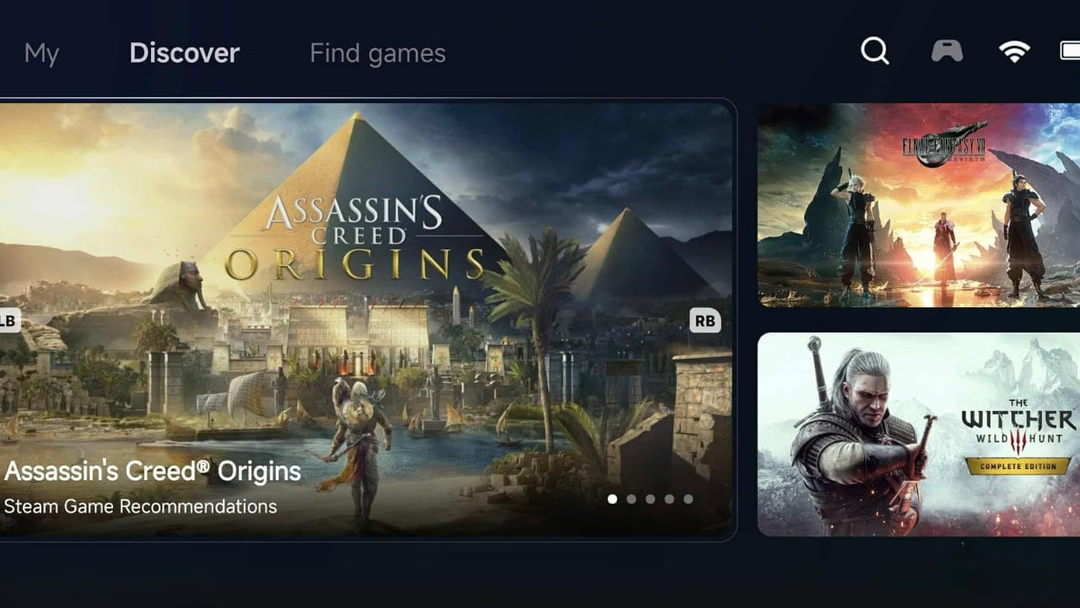
The Dream of PC Gaming on Mobile is Here
For many gamers in the Philippines, the dream has always been to take their favorite PC gaming experience on the go. Imagine diving into a classic Windows title while on your daily commute or during a break at the gym. While mobile gaming has exploded, the barrier between PC and Android has remained. Now, that barrier is starting to crumble with the official launch of the GameHub app by GameSir, now readily available on the Google Play Store.
This isn’t just another app; it’s a powerful gateway that simplifies the complex world of emulation, putting the power of PC gaming directly into the hands of Filipino Android users. Let’s dive into what makes this app a potential game-changer for your mobile entertainment.
What is GameHub? A Unified Gaming Universe in Your Pocket
Developed by GameSir, a brand well-known in the gaming community for its quality controllers and accessories, GameHub is more than just a single-function tool. It’s designed to be an all-in-one central hub for all your gaming needs. While it supports popular cloud gaming services like Xbox Cloud Gaming and local streaming via Steam Link, its most groundbreaking feature is the ability to run Windows games directly on your device through a streamlined emulation process.
Unlike previous emulators that often required technical know-how and complicated setup procedures, GameHub is built on the principle of user-friendliness, aiming to get you into your games faster and with minimal fuss.
Unpacking the Core Features of GameHub
GameHub stands out by offering a suite of features that cater to both casual and hardcore gamers. Here’s a closer look at what it brings to the table.
Windows Gaming on Android, Simplified
The star of the show is undoubtedly its emulation capability. GameHub demystifies the process of playing PC games on a phone. The developers have focused on creating an experience where users don’t need to tinker with countless settings and configurations. The goal is to install the app, load your game, and start playing. This accessibility is a significant step forward, making PC game emulation available to a much broader audience.
Your Entire Game Library, Anywhere
Getting your games into the app is designed to be straightforward. For gamers who own DRM-free copies of their favorite titles, it’s as simple as transferring the game files to your smartphone’s storage. However, the most compelling feature for many will be the direct integration with Steam. This allows you to connect your Steam account and download games from your existing library straight to your device, bridging the gap between your PC setup and your mobile phone seamlessly.
Performance and Hardware: What You Need to Know
Running PC games, even older titles, is a demanding task for any mobile device. Your experience with GameHub will largely depend on the power of your smartphone. Devices with the latest flagship processors and ample RAM will, of course, deliver the smoothest performance, especially for more graphically intense games.
However, GameHub includes easy-to-use settings that allow you to tweak performance. You can adjust the resolution and other graphical settings to find the perfect balance between visual quality and smooth framerates, which is a great feature for users with mid-range devices.
Furthermore, emulating PC games is a power-intensive task, so having a device built for endurance is key. For the best, uninterrupted experience, a phone with a massive battery is crucial. For example, a phone like the recently launched realme C85 5G with its massive 7000mAh battery would be an ideal companion for those long gaming sessions, ensuring you have enough power for both your entertainment and daily tasks.
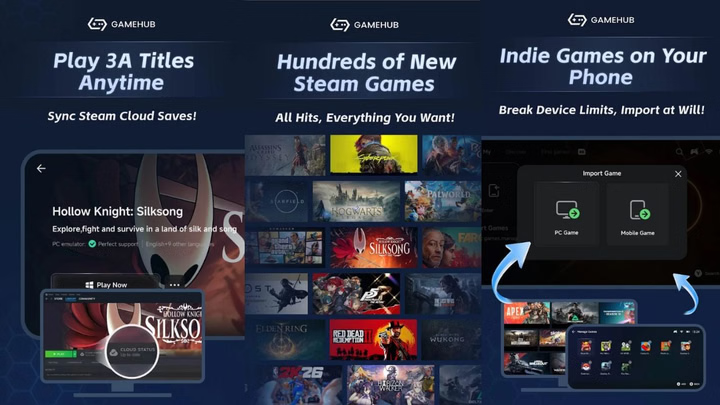
Balancing Fitness and Fun: A Gamer’s Cooldown
As fitness enthusiasts, we understand the importance of discipline and routine. But recovery and mental relaxation are just as crucial as the workout itself. This is where a balanced approach to entertainment, like mobile gaming, can play a positive role in your active lifestyle.
Think of a gaming session on GameHub as a form of mental cooldown. After a strenuous workout or a long run, engaging in a game can help shift your focus, reduce stress, and provide a rewarding sense of accomplishment. It’s a fantastic way to give your mind a break while your muscles recover. On rest days, having a powerful entertainment hub in your pocket helps you relax and recharge at home, ready for the next challenge.
Your Next Step to PC Gaming on the Go
The arrival of GameHub on the Google Play Store is an exciting development for the mobile gaming scene in the Philippines. By simplifying the emulation process and integrating directly with Steam, GameSir has created a powerful and accessible tool for anyone looking to expand their gaming horizons. Whether you’re a long-time PC gamer or just curious, GameHub offers a new and convenient way to enjoy a vast library of classic and indie titles on the device you carry everywhere. If your phone has the power, a new world of gaming awaits.
